AI skin analysis app
A clearer skin check-in from three guided selfies.
Kelp is an AI skin analysis app for iPhone. Scan three guided angles, understand six visible skin signals, and get one focused plan for the week.

- Three guided angles
- Six visible signals
- One reading every seven days
What is an AI skin analysis app?
An AI skin analysis app reviews photos you choose to submit and describes visible cosmetic patterns. Kelp uses front, left, and right guided selfies to create a weekly reading across hydration, texture, redness, clarity, oiliness, and glow.
A consistent baseline
Why does Kelp ask for three angles?
A single selfie can hide one side of your face or overrepresent the light falling on it. Kelp guides you through front, left, and right views so each weekly check-in covers the same basic viewpoints.
Capture checks help you keep your face in frame and use suitable lighting. When you scan again, matching the earlier light and framing makes the comparison more useful.
- FrontA centered view for the overall reading.
- Left and rightTwo side views that add context the front angle can miss.
- Guided captureFraming, angle, face, and lighting checks before analysis.
The six signals
What does the Kelp skin score measure?
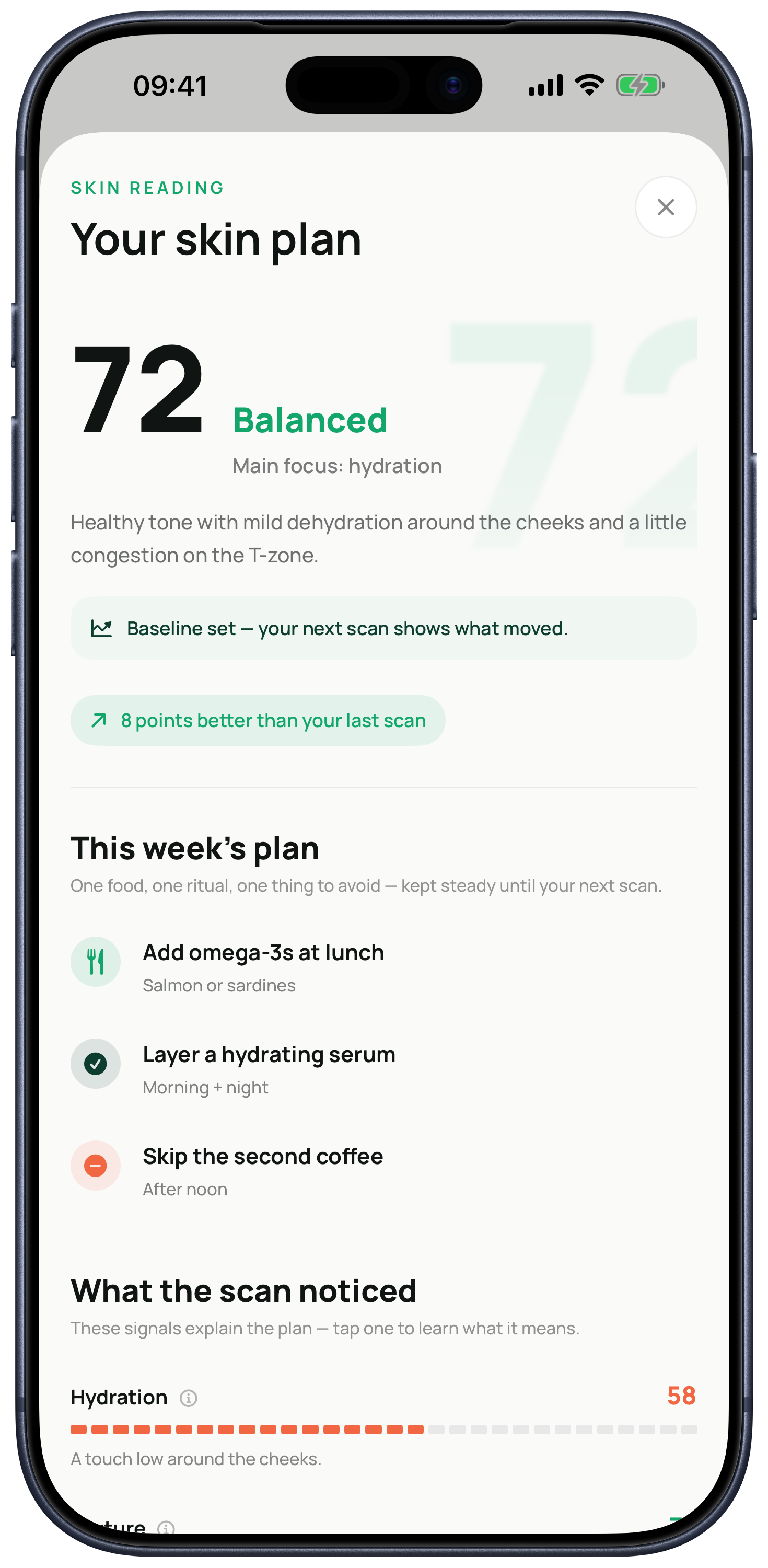
The overall score summarizes six visible cosmetic signals: hydration, texture, redness, clarity, oiliness, and glow. Each signal also keeps its own score, so you can see what moved instead of treating one number as the whole story.
The score is a tracking aid, not a clinical measurement or a verdict on whether your skin is good or bad. Its value comes from using the same process over time and looking at the direction of each signal.
From reading to action
What happens after the scan?
Kelp turns the reading into a focused seven-day plan instead of presenting a dashboard and leaving you to interpret it alone.
- One food focusA practical nutrition action for the week.
- One daily ritualA small habit designed to be repeatable.
- One thing to avoidA clear constraint rather than a long prohibition list.
- A simple routineMorning and daily actions organized around your latest reading.
Privacy by design
Where do my skin photos go?
When you choose to scan, Kelp strips image metadata, reduces the image size, and sends an encrypted copy through its Azure backend to its AI provider. The Kelp backend does not persist the scan photos.
Saved readings and comparison photos stay on your device with iOS file protection until you delete the scan history. Read the full privacy policy for the complete processing details.
Important boundary
Cosmetic wellness guidance, not medical care.
Kelp describes visible cosmetic signals and helps you track a skincare routine. It does not diagnose, treat, or prevent a medical condition.
Seek a qualified clinician for painful, persistent, spreading, bleeding, infected-looking, scarring, or otherwise concerning symptoms.
Straight answers
Questions people ask before trying Kelp
Can Kelp diagnose acne or another skin condition?
No. Kelp provides cosmetic wellness guidance and tracking. It does not diagnose, treat, or prevent a medical condition.
How often can I run a guided skin analysis?
Kelp is designed around one guided reading every seven days. The weekly cadence helps you keep a plan steady before comparing the next result.
Which skin signals does Kelp track?
Kelp tracks the visible appearance of hydration, texture, redness, clarity, oiliness, and glow, plus an overall skin score.
Do I need special lighting or a separate camera?
No separate camera is needed. Use your iPhone and follow the in-app framing and lighting guidance. Similar conditions from week to week make comparisons more useful.
Is Kelp free?
Kelp is free to download. Access to guided readings and coaching requires an auto-renewable Kelp Pro subscription; current price and trial eligibility appear in the App Store before purchase.
Kelp is live on iPhone
Stop guessing what changed.
Start with a guided scan, keep one plan steady, and compare again next week.